
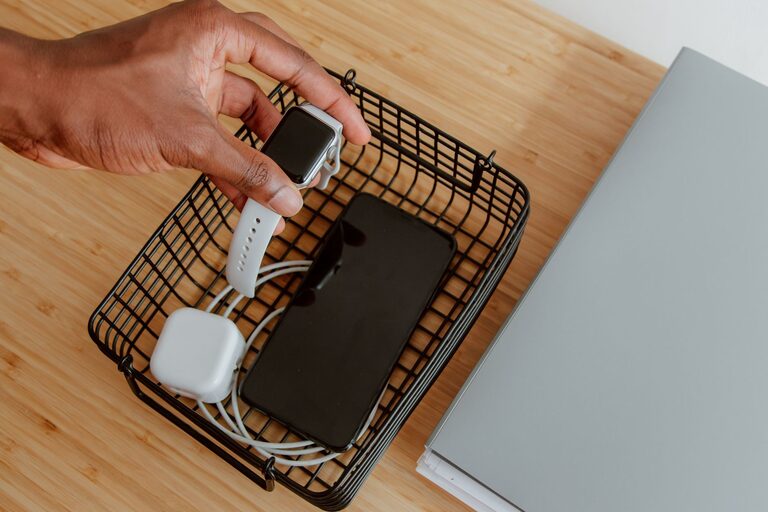
Creating a dedicated charging station for your devices is a smart way to keep your home organized and ensure that your phones, tablets, and other gadgets are always ready to use. Whether you have multiple family members with devices or simply want to avoid clutter, setting up a charging station can save time and reduce frustration. This guide will walk you through the essentials of building a practical and stylish charging station.
Why Set Up a Charging Station?
With the number of electronic devices in most homes, charging cables often get tangled, lost, or left in inconvenient places. A charging station helps by:
– Centralizing your devices in one spot
– Eliminating cable clutter
– Protecting devices from damage by keeping them off the floor or furniture edges
– Making it easier to monitor charging status
Plus, having a dedicated place encourages everyone in the household to plug in their devices regularly.
What You’ll Need to Get Started
Before you start assembling your charging station, gather the necessary materials and consider the devices that need charging. Here are some basics:
– Charging cables: Ensure you have chargers compatible with all your devices (USB-C, Lightning, Micro-USB).
– Power strip or multi-port USB charger: For plugging in multiple devices safely and simultaneously.
– Charging dock or organizer: This can be a store-bought panel, a wooden box, or any container to hold devices while charging.
– Cable management tools: Velcro straps, cable clips, or cable sleeves help keep cords tidy.
– Labeling materials (optional): Labels can help identify chargers or designate specific spots for each device.
Choosing the Right Location
Pick a spot in your home that is convenient and accessible. Some popular options include:
– Near a power outlet in the living room or family room
– On a desk in a home office
– On a kitchen counter or dining table
– In a common hallway or entrance area
Make sure the location has enough space for your devices and chargers without causing obstruction or creating a tripping hazard.
Step-by-Step Guide to Setting Up Your Charging Station
1. Prepare the Base
Choose or create a base to hold your charging station items. This could be:
– A small shelf or cart with compartments
– A wooden box with slots or dividers
– A desk organizer with multiple sections
The goal is to have a stable surface where devices can rest safely while charging.
2. Arrange the Power Source
Plug your power strip or multi-port charger into the wall outlet. If using a power strip, secure it to the back or underside of your base if possible. This keeps it out of the way and reduces clutter.
3. Organize Your Charging Cables
Connect all your charging cables to the power strip or USB charger. Use cable clips or Velcro ties to bundle excess length and prevent tangling. Arrange the cables so they reach each slot on your base where devices will rest.
4. Designate Device Spots
Assign a location for each device type (smartphone, tablet, smartwatch, e-reader) and label if desired. This helps family members know where to place their devices and keeps the area organized.
5. Add Extra Accessories (Optional)
You can enhance your charging station with additional features like:
– A small basket for storing earbuds or chargers
– A wireless charging pad for compatible devices
– A lamp or decorative element to blend the station into your room’s decor
Tips for Maintaining Your Charging Station
– Regularly check cables for wear or damage and replace as needed.
– Clean the station to remove dust and keep devices cool during charging.
– Encourage all household members to use the station consistently.
– Avoid overloading the power source with too many devices at once.
– Update cables and chargers as your device lineup changes.
Benefits Beyond Organization
Having a centralized charging station not only keeps your space neat but also promotes a habit of charging devices safely. It can prevent devices from overheating by ensuring they have enough space and ventilation. Plus, it reduces the risk of tripping over cables and keeps your furniture free of marks or scratches from charging accessories.
Conclusion
Setting up a charging station is a simple and effective way to manage your electronic devices at home. With just a few materials and some planning, you can create a neat, efficient space that keeps your gadgets powered and your home clutter-free. Start with a spot that suits your lifestyle, gather the necessary supplies, and customize your station to fit your needs. Soon, charging your devices will be easier and more organized than ever.